Client management is used to distribute WLAN clients within a network across the available access points based on load. In high-density scenarios, this can result in a more even utilization of WLAN resources, including AP capacity and channel capacity.
Client management is based on two core technologies: RRM (Radio Resource Management / IEEE 802.11k) and WNM (Wireless Network Management (IEEE 802.11v).
RRM
Client management supports RRM Neighbor Reports. Clients can send a Neighbor Report Request to the AP; the AP responds with a Neighbor Report containing a list of potential roaming candidates. The AP determines these roaming candidates by means of an automated environmental scan that is performed once a day, scans the radio environment for candidates, and uses IAPP to verify that the identified APs are in fact LCOS LX APs belonging to the same network. In addition to the list of candidates, a priority for each candidate is transmitted (BSS Transition Candidate Preference). This priority is based on the current number of clients associated with the candidate AP (fewer clients = higher priority).
WNM
Client management supports WNM BSS Transition Management (BTM). Clients can send BTM Queries to the AP, which in turn sends a BTM Request with one or more suitable roaming candidates. In principle, this is similar to the process described above for RRM; only a different protocol is used.
To instruct a client to switch to another AP, the AP can also send unsolicited BTM Requests to the client. This occurs as soon as the thresholds described below are reached. These thresholds are checked each time a new client associates. When a threshold is reached, Client Management randomly selects an associated client that has been associated for more than 5 minutes and sends it a BTM Request to encourage it to switch to a non-overloaded AP. Clients that have been associated for less than 5 minutes or that have already received a BTM Request from this AP within the last 5 minutes are not contacted in order to prevent multiple roaming processes within a short period of time.
You can find the Client Management settings for WLAN networks under .
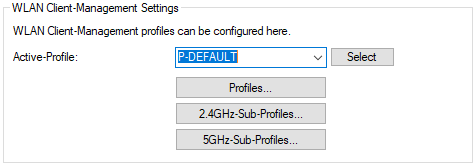
- Client Management Mode
- Specify whether to use Client Management, band steering only, or neither feature.
