Configure the firewall rules here.
Figure 1. Deny-All Example
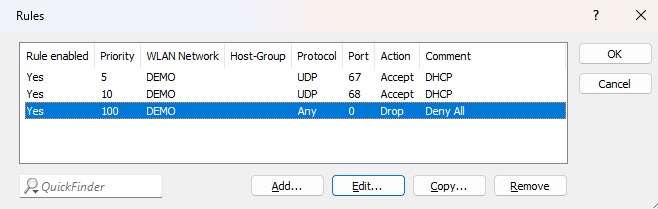
Important: Note that the deny-all rule blocks all traffic. Therefore, you must explicitly allow the appropriate ports for DHCPv4 to enable IPv4 address assignment.
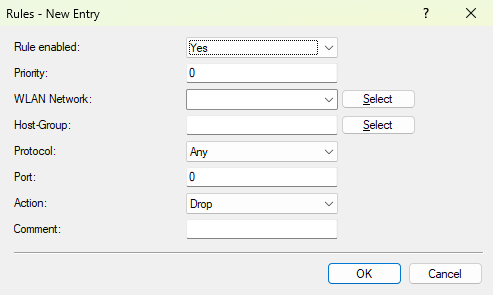
- Rule enabled
- Specifies whether the rule is active for the firewall.
- Priority
- Priority of the rule. Rules with lower values are processed before rules with higher values.
- WLAN Network
- The WLAN network for which the rule is active.
- Host-Group
- One or more previously configured host groups against which the destination of the rule is checked.
- Protocol
- Configures whether the rule applies only to TCP, UDP, or all traffic.
- Port
- If TCP or UDP is entered as the protocol, you can additionally specify a port number here as a filter criterion.
- Action
- Configures whether the connection is allowed or discarded when the rule applies.
- Comment
- A free-text field for entering any comment.
