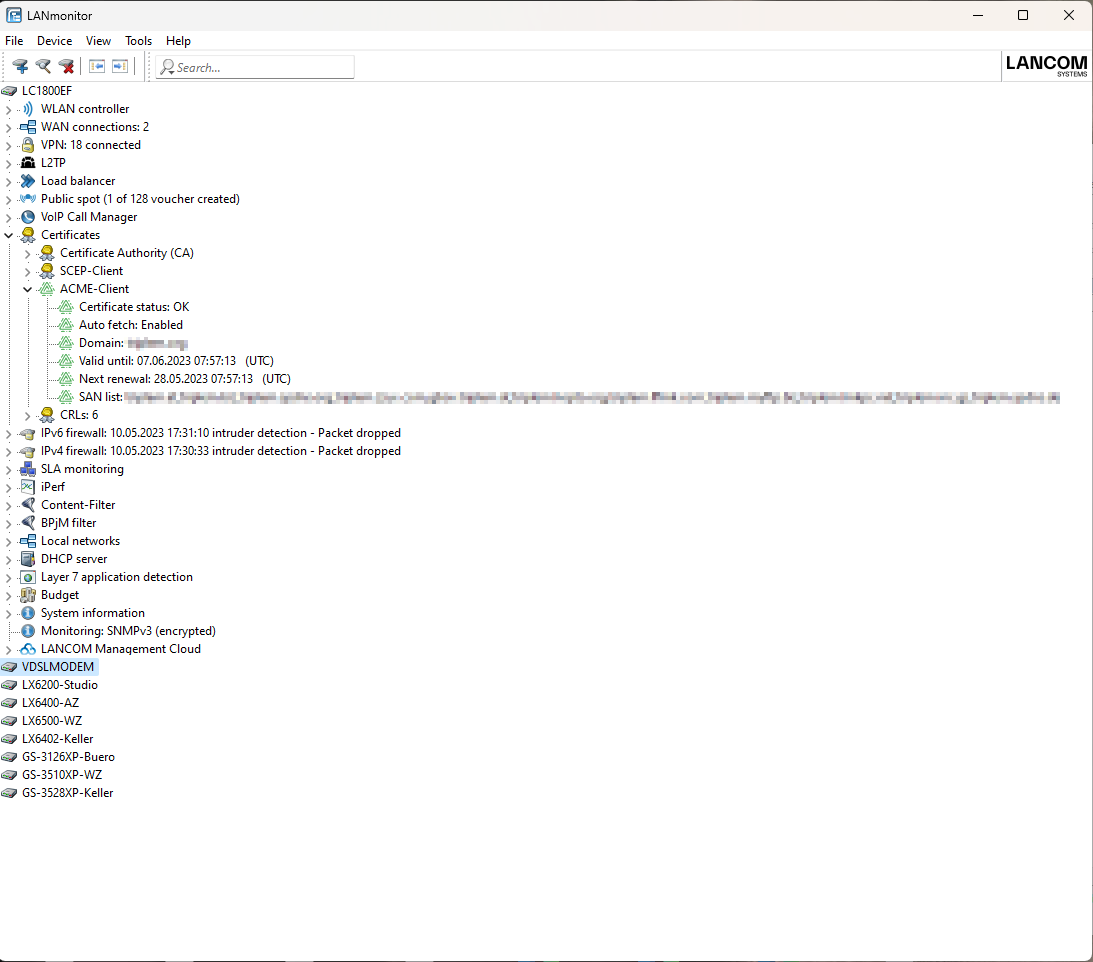
As of LCOS 10.80 the Automatic Certificate Management Environment (ACME) client as per RFC 8555 is supported for Let's Encrypt certificates. Let's Encrypt is a free and open certification authority that makes it possible to obtain free SSL/TLS certificates. The certificates can be used for WEBconfig and for the Public Spot.
The prerequisite for using Let's Encrypt is that the device has a publicly resolvable domain name, e.g. DynDNS. For the certificates to be used correctly, the device's WEBconfig must be accessed via its domain name and not the IP address. If WEBconfig is called via the IP address, the certificate check fails because Let's Encrypt certificates are issued for domain names and not IP addresses.
With Let's Encrypt, certificates are issued when a device can prove that it has control of the domain name. For this purpose, Let's Encrypt provides a so-called "challenge" that the device must satisfy. The ACME client in the device performs this process automatically. The ACME client also renews the certificate automatically before a specified certificate expiry period.
A domain name must first be entered into the configuration. The device then automatically submits a certificate request to Let's Encrypt and temporarily opens (for example) the port 443 or 80. Let's Encrypt then checks whether the device and the previously set challenge (e.g. token) can be reached under the specified domain name and port 443 or 80. If this is successful, the certificate is issued. The device renews the certificate automatically before it expires. For this process, the device briefly opens port 80 or 443 for this challenge and closes it again in the second step.
Use of Let's Encrypt is not possible or fails in the following scenarios:
- The device does not have a public IP address
- An upstream firewall blocks access to port 443 or 80 from the Internet
In principle, multiple domain names are also supported in the SAN field (Subject Alternative Name) of the certificate.
You can see information about the ACME client in LANmonitor and start or stop a trace with the command line trace # acme.