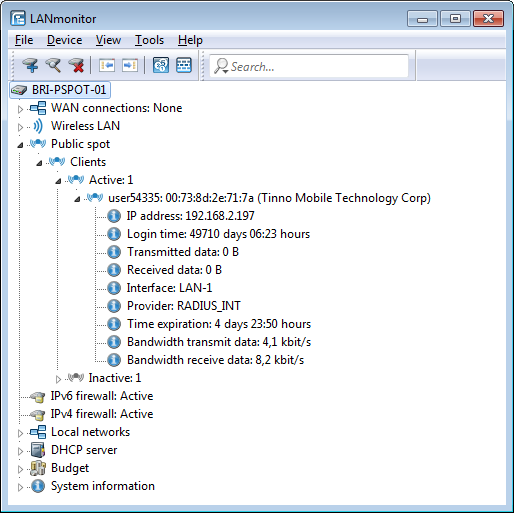
LANmonitor can optionally display detailed information about the clients associated with the Public Spot.
-
Double-click on a client to retrieve detailed information about it.
| Public Spot / Setup and operation | |
www.rohde-schwarz.com/networks-and-cybersecurity
Rohde & Schwarz Networks and Cybersecurity GmbH | Adenauerstr. 20/B2 | 52146 Wuerselen | Germany | E‑Mail info.rs-nc@rohde-schwarz.com
