You can define how LANconfig reacts when an entry in the list of devices is double-clicked, i.e. whether a Setup Wizard or the dialog for manually editing the configuration appears. The default behavior of LANconfig can be set in the dialog on the General page.
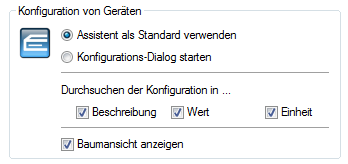
- Use Wizard as standard: Double-clicking on a device entry in LANconfig will open up a dialog offering a choice of Wizards.
- Start the configuration dialog: Double-clicking on a device entry in LANconfig will open up the Configuration dialog.
