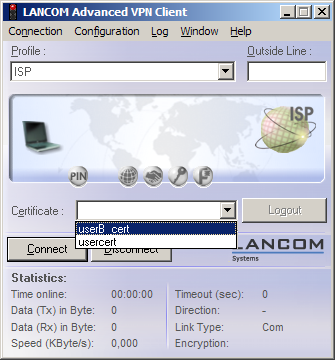
To use the R&S®LANCOM Advanced VPN Client to dial in to a router, the appropriate profile settings must be adjusted to allow for the use of certificates.
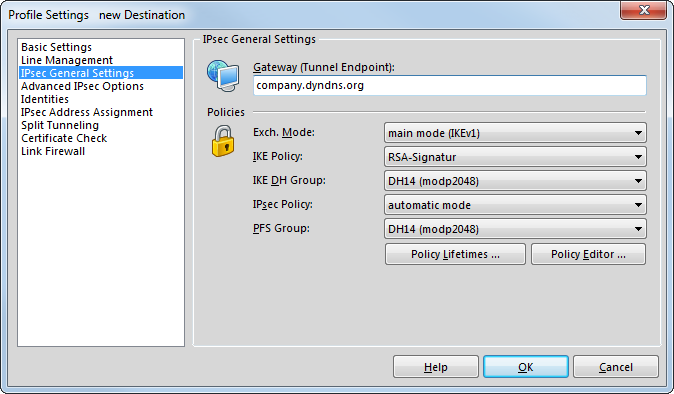
- In the IPSec General Settings for the profile, change the IKE policy to 'RSA signature'.
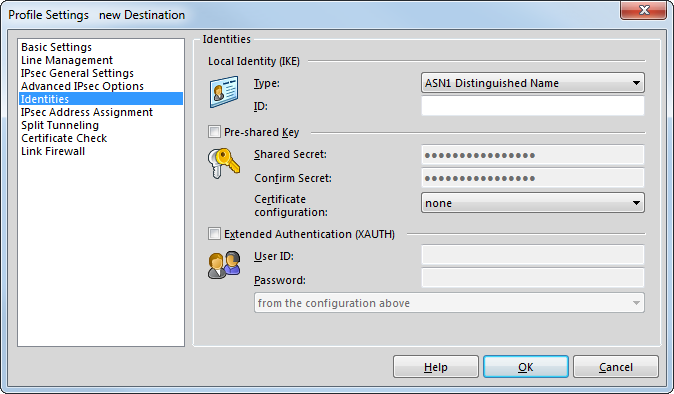
- Switch the identity to 'ASN1 Distinguished Names'. The 'identity' can remain blank since this information is taken from the certificate.
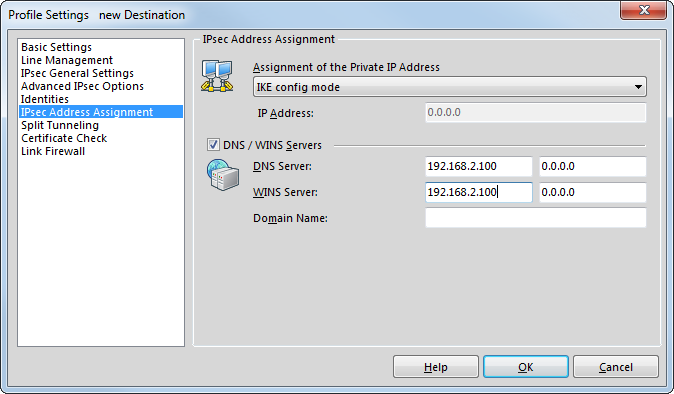
- Use the ‘IKE config mode’ to assign the IP address.
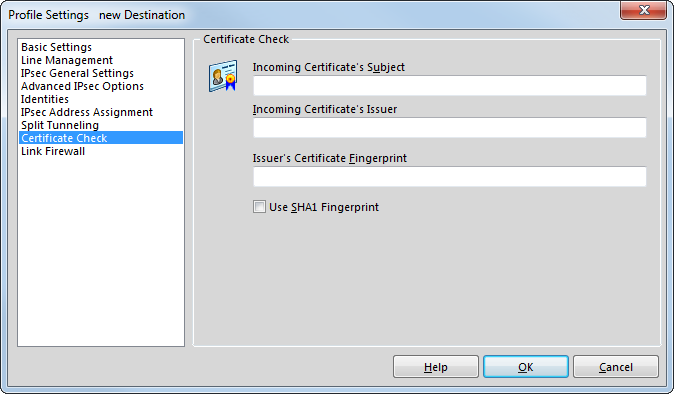
- For the certificate check, you can optionally restrict the certificates accepted by the R&S®LANCOM Advanced VPN
Client. To do this, you define the user and/or the issuer of the incoming certificate and, if applicable, the associated "fingerprint".
- After storing the adapted connection profile, click on the menu item Configuration / Certificates to open the settings for the User Certificate.
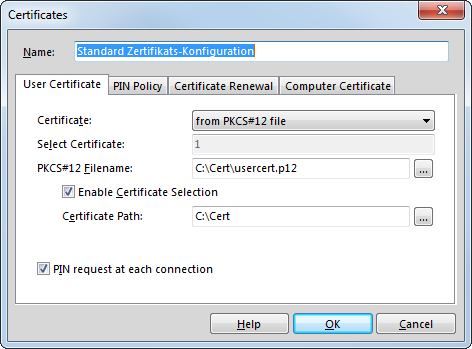
- Select the certificate type 'from PKCS#12 file' and set the required certificate file.
- To work with different certificates, activate the option 'Soft Certificate Selection' and enter the path for the folder where the certificate files are stored.
- Specify whether the PIN (password) for the certificate should be requested for every connection. Alternatively, the PIN can be permanently stored in the R&S®LANCOM Advanced VPN Client under the menu item .

- If you have enabled certificate selection, when you initiate the connection you can select the required certificate in the main window of the R&S®LANCOM Advanced VPN Client according to the selected profile.