In the device’s WEBconfig, open the section Add profile under .
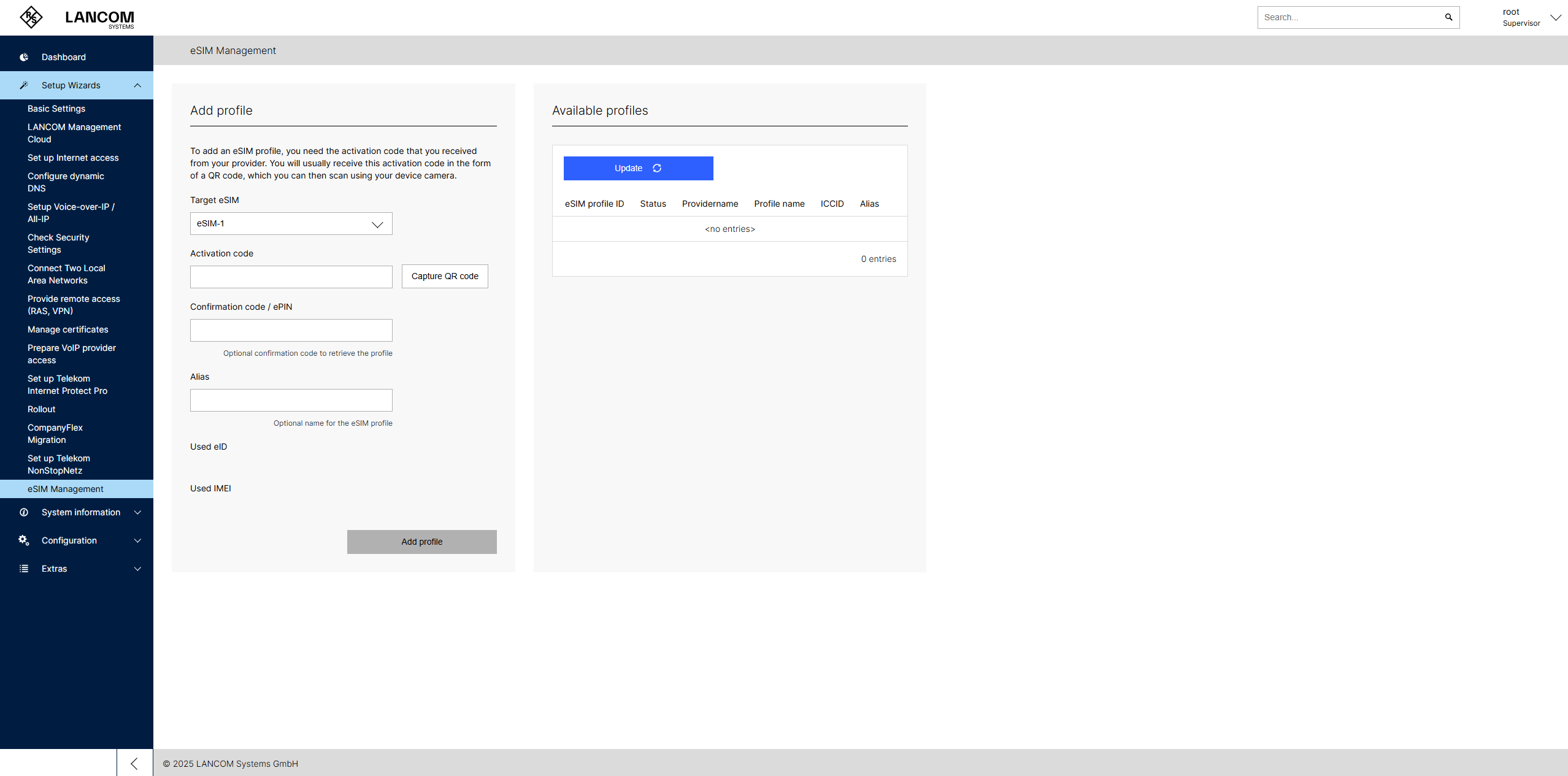
- Target eSIM
- Select the desired target eSIM, e.g., eSIM-1.
- Activation code
- Insert here the eSIM activation code provided by your mobile network operator (MNO), e.g., LPA:1$prov.example.com$ABCDEFGH12345. This is the so-called LPA string ("Local Profile Assistant" string). It is a character string that contains the address of the SM-DP+ server (Server for Profile Management) and an activation code to manually install an eSIM profile on a device. It is identical to the content of the QR code. The string follows the format LPA:1$SM-DP+address$activation-code and is used by the LPA in the device to download and install the eSIM profile from the SM-DP+ server over an existing Internet connection. The activation code can either be entered as text or scanned from a QR code if the device has a camera.
- Confirmation code / ePIN
- Optional confirmation code that is entered together with the activation code. Some MNOs refer to this as an ePIN. The code is provided by your mobile network operator along with the QR code/activation code.
- Alias
- The alias is an optional label for the eSIM profile. It allows easier identification of the profile in the profile table.
- Used eID
- Displays the eID (Embedded Identity Document). The eID is the globally unique identifier of the eSIM installed in the device. This information is for reference only.
- Used IMEI
- Displays the IMEI (International Mobile Equipment Identity). The IMEI is a 15-digit number assigned to your LANCOM cellular router that uniquely identifies it worldwide. This information is for reference only.
Section "Existing profiles"
This section displays the eSIM profiles stored on the local device. Only one eSIM profile can be active at a time. The active profile can be used in the configuration of the WWAN profiles in the SIM selection as "eSIM-1".
Assign WWAN profile in LANconfig
In LANconfig, open .
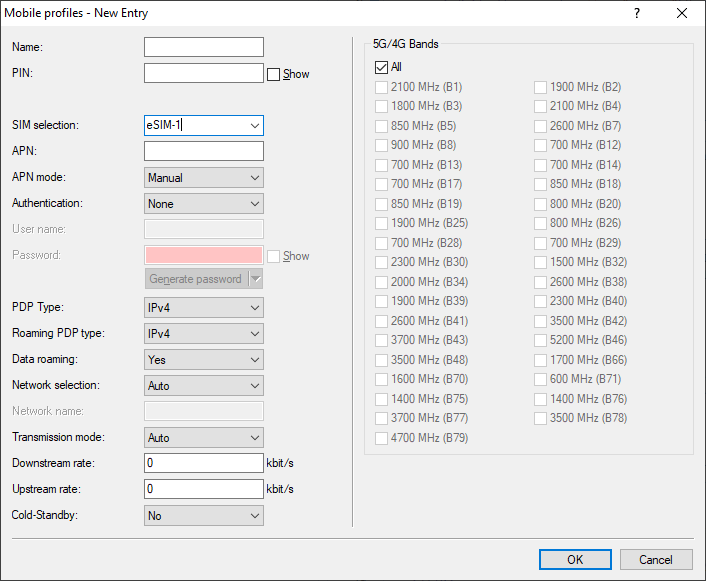
- SIM selection
-
Defines the SIM slot or eSIM of the device to be used. Possible values (depending on the device):
- SIM-1 (Default): first SIM slot in the device
- SIM-2: second SIM slot in the device
- eSIM-1: embedded eSIM in the device. The currently active profile configured in WEBconfig is used.
- Iccid:<iccid of the SIM card or eSIM profile>: With this value, the SIM card or eSIM profile can be explicitly selected via the unique ICCID (Integrated Circuit Card Identifier). The ICCID of the installed eSIM profiles can be found in the eSIM management section of WEBconfig.