You can find the configuration of the WWAN Bridge Mode in LANconfig under .
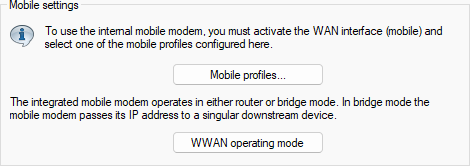
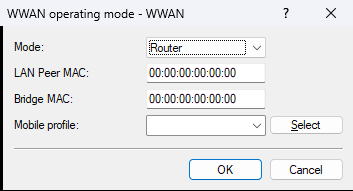
- Mode
-
Defines the operating mode of the device’s internal mobile interface. Possible values:
- Router
- In Router Mode, the device establishes the cellular connection itself and obtains an IP address on its WWAN interface. A downstream network gains Internet access via Network Address Translation (NAT).
- Bridge
- In Bridge Mode, the device acts as a transparent network bridge and forwards all IP packets from the mobile network to exactly one downstream device. Detailed bridge configuration is performed in the LAN Bridge settings.
- LAN Peer MAC
- MAC address of the device or client in the LAN that should receive the IP address directly from the mobile network. If the MAC address is 0, the MAC address learned from received packets is used automatically.
- Bridge MAC
- MAC address to be used as the sender address. If the MAC address is 0, a “locally administered” address derived automatically from the device’s MAC address is used.
- Mobile profile
- Defines the WWAN profile to be used.