Configuration of the COM-Port
Configure the device mode via . Click on device mode and add a new table entry or edit an existing entry.
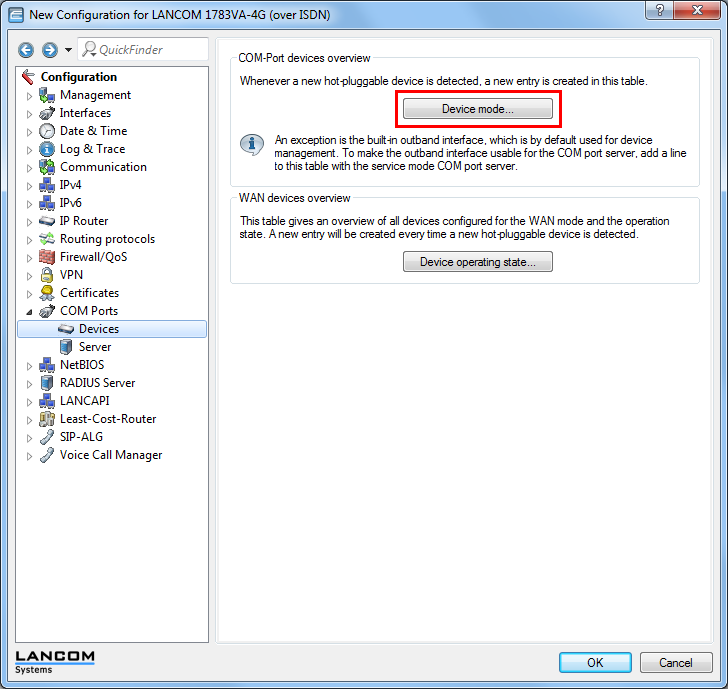
Define "Outband" as device type and "UPS" as device mode. This mode ensures that the status of the connected Battery Pack can be interrogated.
Configuration of Battery Pack monitoring
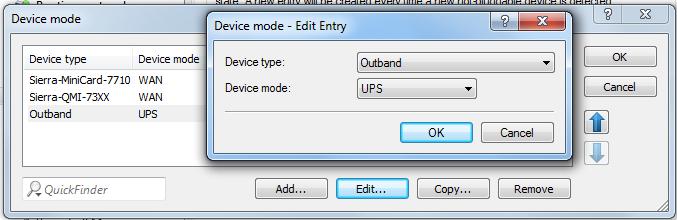
Configure the Battery Pack monitoring via in section "Battery Pack".
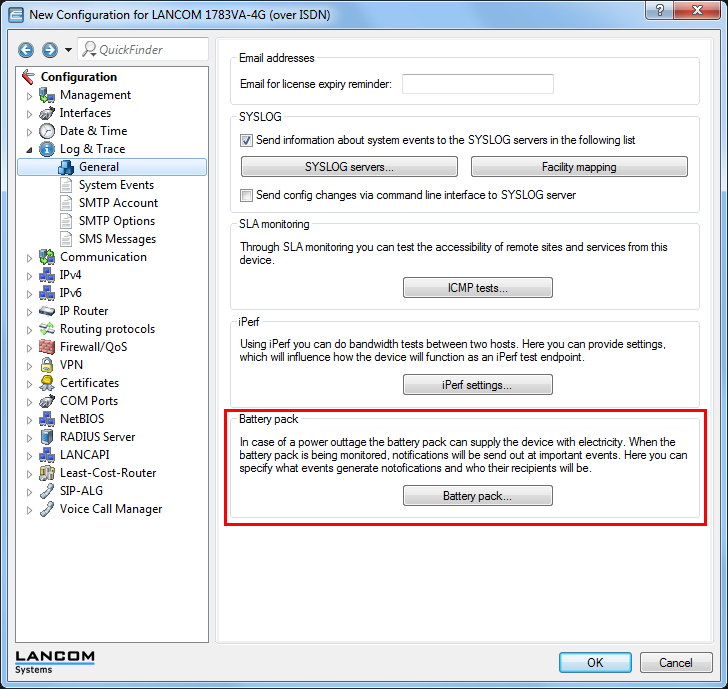
Click on the button Battery Pack and activate the checkbox Monitor Battery Pack. Define a valid e-mail address for transmitting status notifications.
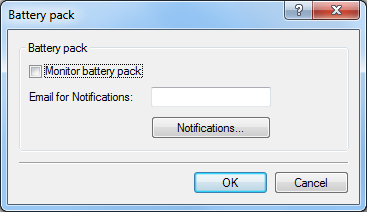
- Battery Pack monitoring activated
-
Activate the status monitoring of the via serial connected Battery Pack here.
Note: For monitoring operations the device operating method of the out-band interface has to be configured as "UPS" in the section .
- E-mail address
- In case of critical events, a notification will be sent to the e-mail address configured here, so the device administrator can react immediately.Note: For a successful e-mail transmission the section has to be configured.
- Notifications
- Establish the notification settings.
Configure notifications
Define message options.
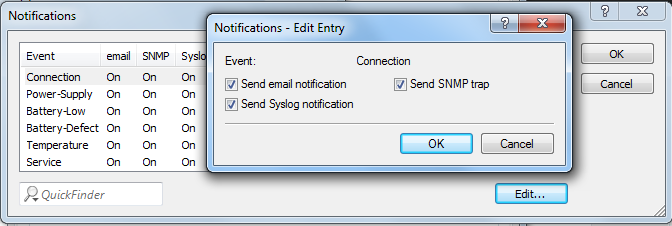
- Send e-mail notification
- In this event the administrator will be notified via e-mail. The e-mail will be sent to the address as configured in the section .
- Send SNMP trap
- In this event the administrator will be notified via SNMP. The SNMP notification will be sent to the SNMP server as configured in the section .
- Send SYSLOG notification
- In this event the administrator will be notified via SYSLOG. The SYSLOG notification will be sent to the SYSLOG server as configured in the section .