Manage the client certificates for the WDS connections here.
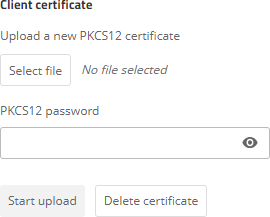
Select a PKCS12 container and specify the associated password. Use Start upload to upload the certificate to the device. You can delete any existing certificates via Delete certificate.
| Wi‑Fi configuration / WDS (Wireless Distribution System) / Point-to-point links | |
Manage the client certificates for the WDS connections here.
Select a PKCS12 container and specify the associated password. Use Start upload to upload the certificate to the device. You can delete any existing certificates via Delete certificate.
www.rohde-schwarz.com/networks-and-cybersecurity
Rohde & Schwarz Networks and Cybersecurity GmbH | Adenauerstr. 20/B2 | 52146 Wuerselen | Germany | E‑Mail info.rs-nc@rohde-schwarz.com
