This table is used to configure the form elements that are transmitted to the captive portal via HTTP POST for logging in or logging out.
| Attribute | Value |
|---|---|
| AGB | checked |
| password | secret |
| userid | rsnc |
If the logout function is also used, the corresponding attributes for the logout test must also be stored in this table.
Each captive portal uses its own form structure. Therefore, use the portal's HTML source code to determine the correct form and the required attributes and values.
For very simple portal pages that contain only a single form attribute, such as a button for click-through login, the E2E test attempts to transmit this attribute automatically via POST. In this case, no additional configuration in this table is required. This currently works, for example, with the One-Button login of the R&S®LANCOM Management Cloud hotspot.
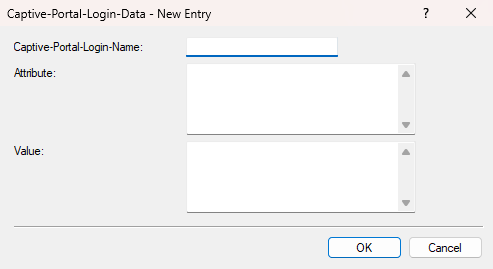
- Captive-Portal-Login-Name
- Enter a name for this captive portal login.
- Attribute
- Enter the required attributes here.
- Value
- Enter the values for the configured attributes here.
