This feature enables the device to execute specific commands at specific, user-defined times. The functionality corresponds to the Cron service known from UNIX. Any command-line function can be executed. This means that all features can be controlled based on a schedule.
You can find the settings for the cron table under .
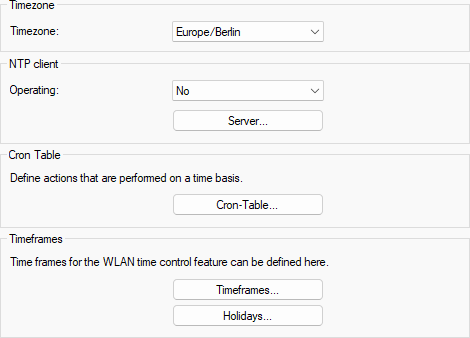
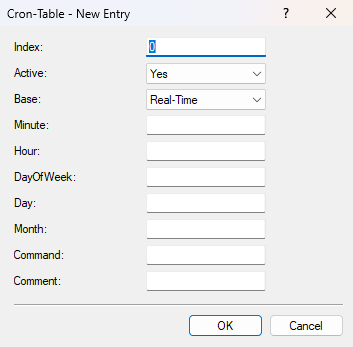
The function of the individual fields largely corresponds to the Cron job configuration known from Linux/Unix.
- Index
- Used to sort multiple Cron jobs.
- Active
- Determines whether the job is executed.
- Base
- The time base determines whether LCOS LX executes the command based on the device's real time or system uptime, that is, the time elapsed since the device was started.
- Minute
- The command is executed when the minute specified here is reached.
- Hour
- The command is executed when the hour specified here is reached.
- DayOfWeek
- The command is executed on the days of the week specified here using numbers. The digits representing the days of the week are separated by spaces. 0 represents Sunday, 1 represents Monday, …, and 6 represents Saturday.
- Day
- The command is executed on the days of the month specified here (from 1 to 31).
- Month
- The command is executed in the months specified here (from 1 to 12).
- Command
- The CLI command to be executed.
- Comment
- A free-text field for entering any comment.
