The desktop (3) fills the main portion of the screen below the header area and to the right of the navigation pane. The highlighted nodes and connections depend on the item selected in the navigation pane or on the desktop.
Figure 1. R&S®LANCOM Unified Firewall web client desktop.
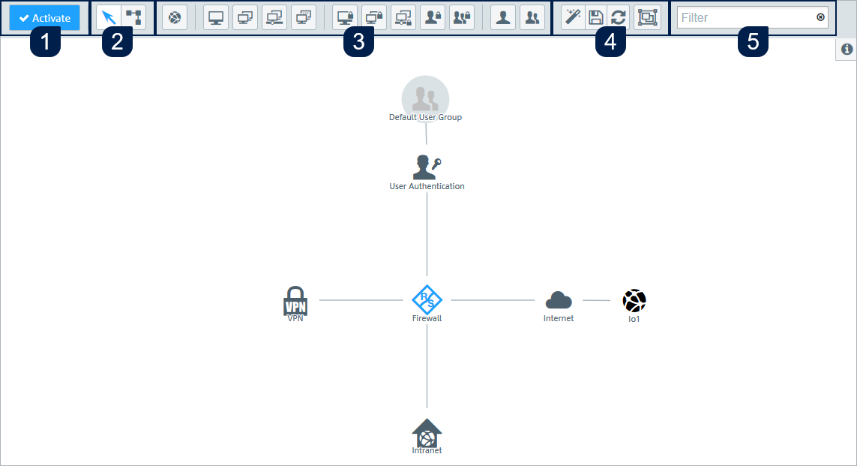
On the desktop, you have an overview of your configured network. You can edit various settings in this pane or view the details of a configuration.
A toolbar at the top of the desktop provides quick access to frequently used functions (from left to right):
- Confirmation button
- Selection tool, connection tool
- Tools for creating desktop objects
- Tools for saving, restoring and arranging desktop objects
- Filter/search tool
All toolbar buttons use mouse-over pop-up labels for easy identification.
For more information, see Icons and buttons.
